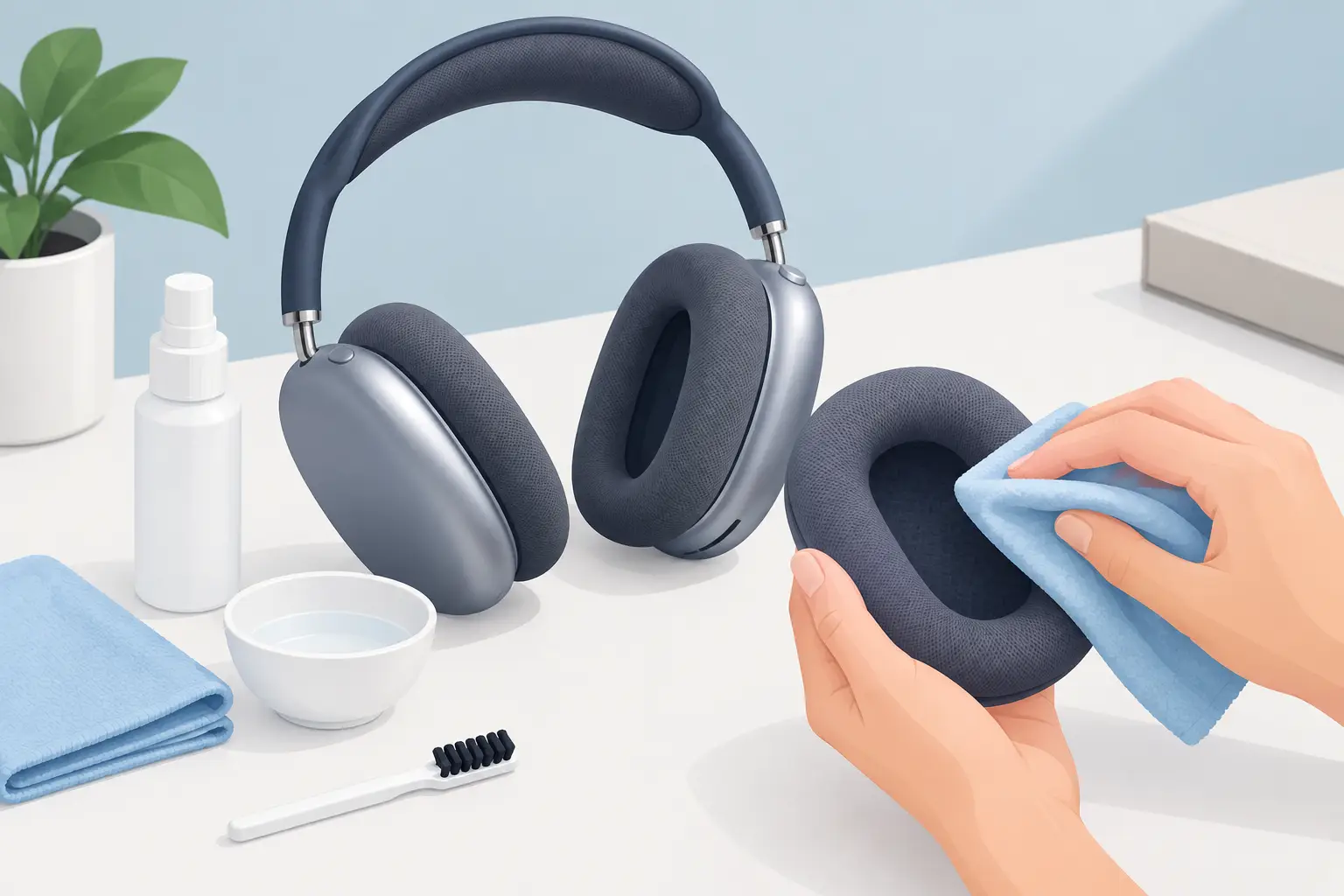
Your AirPods Max cushions sit against your skin for hours at a time, whether you are commuting, working from home or switching off with an album. Knowing how to clean AirPods Max cushions properly keeps them feeling comfortable, looking presentable and free from the build-up that can make premium headphones feel less than premium.
The key is restraint. The ear cushions are removable, but they are still fabric-covered parts with internal foam. Too much water, heat or cleaning product can leave marks, affect the material or introduce moisture where it does not belong. A gentle clean and proper drying time are far more effective than aggressive scrubbing.
What builds up on AirPods Max cushions?
The soft mesh fabric and memory foam in AirPods Max cushions naturally collect skin oils, sweat, moisturiser, hair product and everyday dust. This is especially common if you wear them during the gym, on a packed train or through warmer weather.
Over time, that build-up can leave the cushions looking darker around the edges, feeling slightly greasy or holding onto an odour. It does not necessarily mean the headphones are unhygienic or damaged. Usually, it means they need a careful clean before the residue becomes harder to remove.
Cleaning is also worthwhile when buying refurbished headphones or preparing a pair for resale. Condition matters, but so does the feeling of putting them on. Clean, fresh cushions make a real difference to daily use.
What you need before you start
Keep the process simple: a soft, lint-free cloth, a small bowl of clean water and a small amount of mild liquid laundry detergent are enough. Use a dry lint-free cloth for the final drying stage.
Avoid household sprays, bleach, disinfectant wipes, solvent-based cleaners, fabric conditioner and aerosol products. These may seem effective on stains, but they can be too harsh for the cushion fabric and may leave behind residue. Do not submerge the cushions or hold them directly under a running tap.
It is also best to clean the cushions away from the headphones. AirPods Max use magnetic ear cushions, so removal is straightforward and gives you better access without putting the ear cups at risk.
How to clean AirPods Max cushions step by step
Start by removing both cushions. Hold the headphones securely and gently pull each cushion away from the ear cup. They detach magnetically, so there is no need to twist, force or use a tool. Put the headphones somewhere dry and safe while you clean.
Mix a very small amount of mild liquid laundry detergent into a bowl or cup of water. You are aiming for lightly soapy water, not a thick solution. Dampen, rather than soak, your lint-free cloth and wring it out thoroughly.
Wipe the outer fabric of each cushion with light, controlled strokes. Focus on the areas that touch your face and hair, as these usually collect the most oil. If there is a stubborn mark, work over it gently in short passes instead of pressing hard or saturating the material.
Use a second cloth dampened only with clean water to wipe away any soap residue. This step matters. Detergent left in the fabric can make the cushions feel stiff, attract more dirt or irritate sensitive skin.
Finally, pat the cushions with a dry cloth and leave them to air dry completely. Place them fabric-side up in a clean, well-ventilated room, away from direct sunlight, a radiator or a hairdryer. Heat can affect the foam and may cause the material to dry unevenly.
Do not reattach them until they feel fully dry inside and out. This can take several hours, depending on room temperature and how damp the cloth was. If in doubt, leave them overnight. Waiting is a small price to pay for protecting an expensive pair of headphones.
Cleaning the inside of the cushions
The inside surface of each cushion is the part that faces the ear cup. It can collect dust and loose fibres, but it should not need a heavy clean. Use a dry lint-free cloth to remove visible debris, then wipe gently with a barely damp cloth only if needed.
Keep moisture away from the cushion opening and the connection area. Although the cushions themselves are separate from the electronics, fitting damp parts back onto the headphones is an avoidable risk. A careful dry wipe is normally enough here.
Can you use antibacterial wipes or alcohol?
It depends on the product, but they are not the first choice for the cushions. Many antibacterial wipes contain alcohol, fragrance or other ingredients that can dry out, stain or discolour fabric over repeated use. A mild detergent solution gives you more control and is less likely to leave an unpleasant residue.
If your priority is reducing germs after travel or shared use, clean the cushions first and let them dry fully. For the aluminium ear cups and exterior surfaces, use a separate lightly dampened cloth. Never spray any cleaner directly onto AirPods Max.
Be particularly cautious around the Digital Crown, noise control button, charging port and the mesh areas. Moisture in the wrong place can lead to faults that a surface clean will not fix.
How often should you clean AirPods Max cushions?
For most owners, a light clean every few weeks is enough. If you use your headphones daily, wear skincare or makeup, or take them to the gym, a weekly wipe with a dry or barely damp cloth will help prevent visible build-up.
A more thorough clean is sensible whenever the cushions start to look dull, feel oily or develop an odour. Frequent gentle care is better than leaving dirt to settle and then trying to remove it with stronger products.
It also helps to give the cushions time to air out after a long listening session. Rather than placing the headphones straight into a case after a sweaty commute, leave them on a clean surface for a short while first. This reduces trapped moisture and keeps the fabric fresher between cleans.
Common mistakes to avoid
The most common mistake is using too much water. The cushions should be cleaned with a damp cloth, not washed like clothing. Saturating the fabric can make drying take far longer and may affect the foam beneath it.
Another is trying to speed up the process with heat. A radiator, tumble dryer or hairdryer may seem practical, but high heat is not kind to delicate fabric, adhesives or foam. Air drying at room temperature is the safer option.
Do not put AirPods Max cushions in a washing machine, dishwasher or dryer. Even a gentle cycle is too aggressive, and the shape, texture and fit can be affected. Equally, avoid hard brushes or abrasive sponges, which can roughen the mesh and leave the cushion looking worn.
Finally, do not ignore signs that go beyond surface dirt. If a cushion is split, permanently misshapen or no longer sits securely, cleaning will not restore its condition. Replacement may be the more practical solution.
When a cleaning is not enough
A fresh pair of cushions can improve comfort, but it will not solve audio dropouts, weak battery performance, charging problems or Bluetooth faults. These are separate issues and should be assessed properly rather than masked by a cosmetic clean.
If your AirPods Max are not performing as they should, a specialist diagnosis can identify whether the issue is linked to the battery, audio hardware or connectivity. MaxFix offers a free diagnosis and a No Fix No Fee repair service, giving UK owners a clear route to extend the life of their headphones without immediately replacing them.
Treat the cushions as part of regular ownership, not an afterthought. A few careful minutes, plenty of drying time and the right products will help your AirPods Max stay comfortable every time you put them on.